Reflog
The reflog is Git’s local safety log: every time HEAD, a branch, or the stash moves, Gitember records that line. You can use it to recover work after a deleted branch, a hard reset, a rewritten commit, or a dropped stash.
See also Git reflog in the Git documentation.
Opening the Reflog view
In the repository tree, Reflog sits directly under Stashes. Click it to load every entry from HEAD, local branches, and refs/stash.
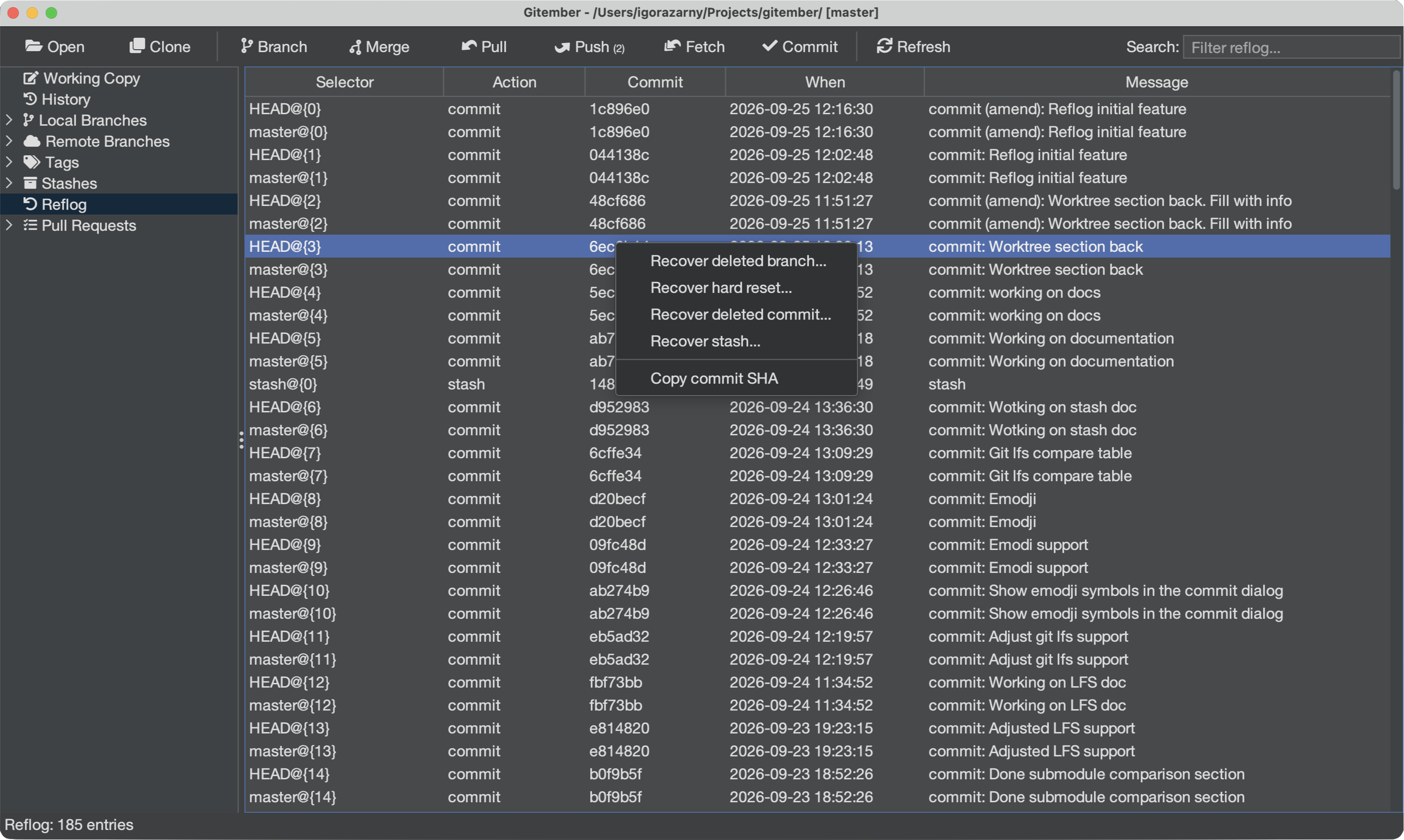
| Column | Description |
|---|---|
| Selector | HEAD@{n}, branch@{n}, or stash@{n} |
| Action | Classified kind: commit, checkout, reset, stash, … |
| Commit | Short SHA after the movement |
| When | Time of the reflog line |
| Message | Git’s reflog comment (reset: moving to …, checkout: moving from …) |
Use the filter box to search by selector, SHA, kind, or message.
Recover deleted branch
After git branch -D (or Gitember’s delete), the last tip is still in the reflog.
- Select the checkout or commit line that still names the branch (often
checkout: moving from my-branch to …). - Right-click Recover deleted branch…
- Confirm or edit the branch name. Gitember creates that local branch at the recovered SHA.
Recover hard reset
A hard reset moves HEAD and the working tree. The previous tip is the old SHA on the reset: line.
- Select the
reset:entry. - Right-click Recover hard reset…
- Confirm. Gitember hard-resets back to the SHA from before that reset.
Uncommitted work in the working tree is discarded.
Recover deleted commit
Amend, rebase, or reset can leave a commit without a branch. The commit object is still in the reflog.
- Select the line whose Commit SHA you want back.
- Right-click Recover deleted commit…
- Enter a new branch name. Gitember points that branch at the commit.
Recover stash
A dropped stash commit can be put back on the stash stack (git stash store).
- Select a
stash@{n}line, or any line whose commit is the stash object. - Right-click Recover stash…
- The stash list in the tree updates; apply it from Stashes as usual.
Summary
| Action | How to trigger |
|---|---|
| Open reflog | Tree → Reflog (below Stashes) |
| Recover deleted branch | Right-click → Recover deleted branch… |
| Recover hard reset | Right-click → Recover hard reset… |
| Recover deleted commit | Right-click → Recover deleted commit… |
| Recover stash | Right-click → Recover stash… |